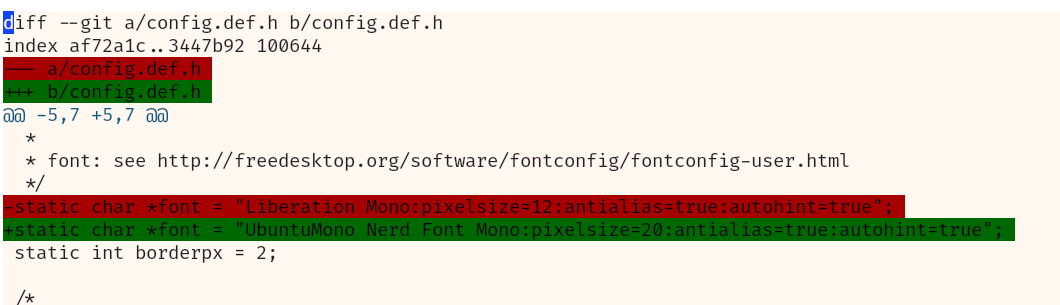
This is what I have:
And this is what I want (ignore different shades of red and green):
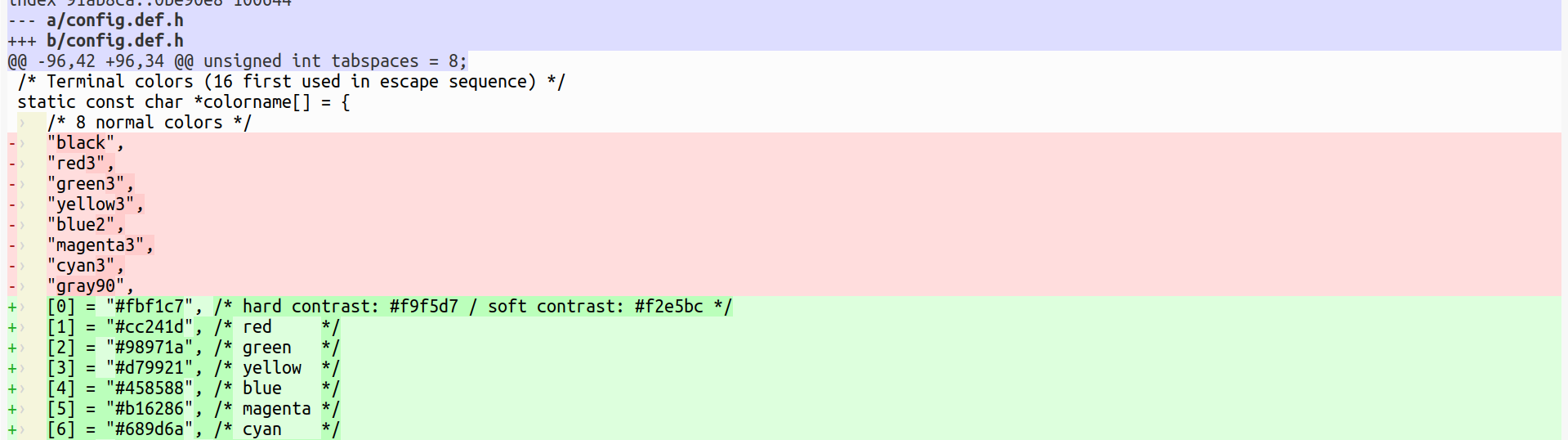
Can I write a highlighter that will fill the whole line?
Kakoune’s regular syntax-highlighting doesn’t support colouring the entire line, no. However, the line highlighter does. Using it for syntax highlighting would be a bit unorthodox, but certainly possible.
# Make the background of line 3 of the buffer turn red
add-highlighter window/ line 3 default,red
1 Like
What you want is not 100% clear to me, but a similar issue (how to color a region between an opening and a closing regex) has been discussed on Kakoune Discord.
I have attached a small plugin, shadow.kak, that does the job. The plugin allows you to color regions differently based on the file type. In my kakrc, for example, I have the following command:
shadow-enable markdown ^\h*``` \n\h*``` default,rgb:c5c5c5
Here is the result:
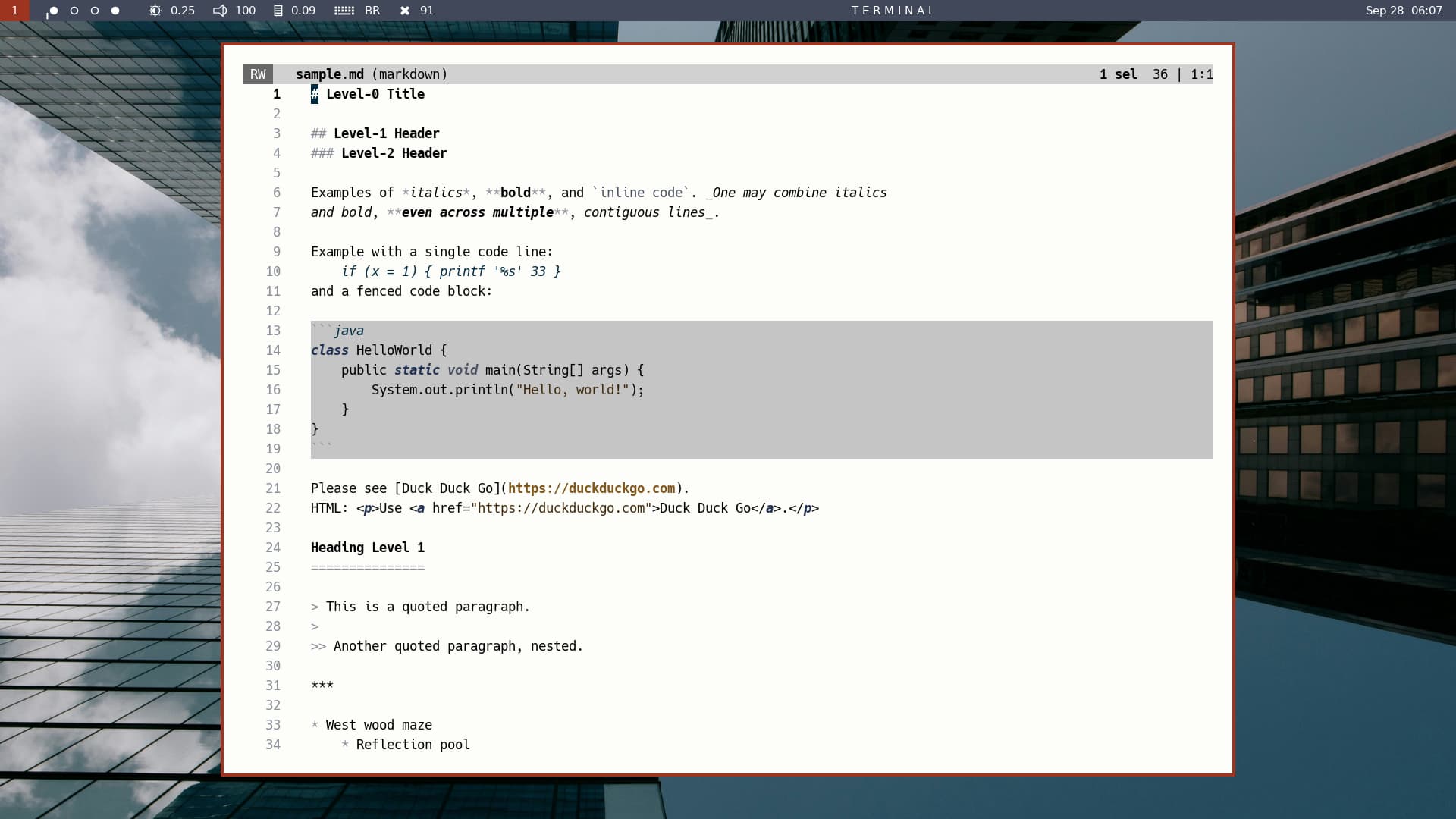
The plugin works by using the line highlighter and by refreshing the colored regions constantly (but there is no shell call, hence no shell overhead). Hope you’ll find it useful.
shadow.zip (734 Bytes)
I knew about the line highlighter from the docs, but couldn’t figure out how to apply it to a regexp (I installed Kakoune just a week ago, so my understanding is limited).
shadow.kak does pretty much what I want, except that it’s limited with one face per buffer. But now I know what the trick is, I’ll try to extend it to support many faces when I improve my kakscript skills.
Thank you, Francois!
I have been looking back at my code and I see that it doesn’t truly allow different colors for different file types. The problem seems to be one of delayed evaluation of the global options contained in the shadow-enable command (and that are passed to the newly created hooks as window-scoped options).
The problem vanishes by getting rid of global options and using a %sh{...} expansion in shadow-enable. In theory the same technique could allow us to define more faces per buffer, but this requires some thought…
Btw, how many faces do you require? I hoped than two would be enough, but perhaps you want more…
Yes, I wanted just two, green and red.
I have rewritten the shadow.kak plugin. The plugin now contains a single command, shadow-enable, that allows you to colorize multiple regions with different colors across filetypes and even within the same buffer. Here is an example with two colors (there could be more) for the same buffer:
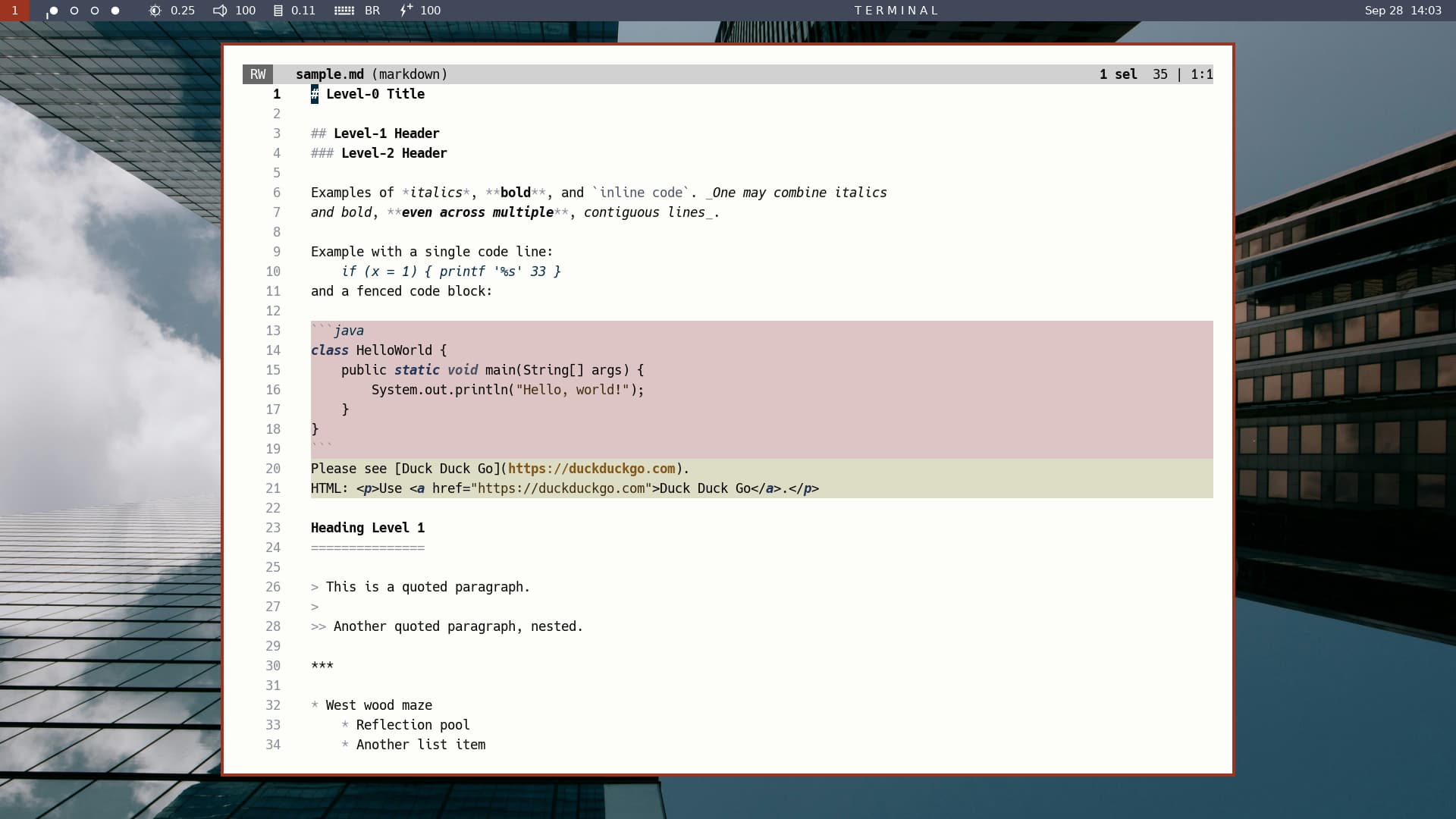
This was obtained with the following in my kakrc:
shadow-enable markdown \
one ^\h*``` \n\h*``` last default,rgb:ddc5c5 \
two ^Please ^HTML last default,rgb:ddddc5
Explanation:
The shadow-enable command is called once per filetype. Here the filetype is markdown, the first argument to shadow-enable. The other arguments come by groups of five:
- shadow_id, your chosen name for a colorization group (e.g., “one”)
- opening_regex, the regex at the start of a colorized block
- closing_regex, the regex at the end of a colorized block
- last|nolast: whether to include (“last”) or exclude (“nolast”) the last line of a block; this can useful if you want your closing regex to include the line that follows (as a line delimiter) the end of a block
- face, the face you want for a block of type shadow_id
Please tell me how it works on your side.
shadow.zip (750 Bytes)
1 Like
Here what the colorized blocks look like with nolast instead of last in the previous shadow-enable command.
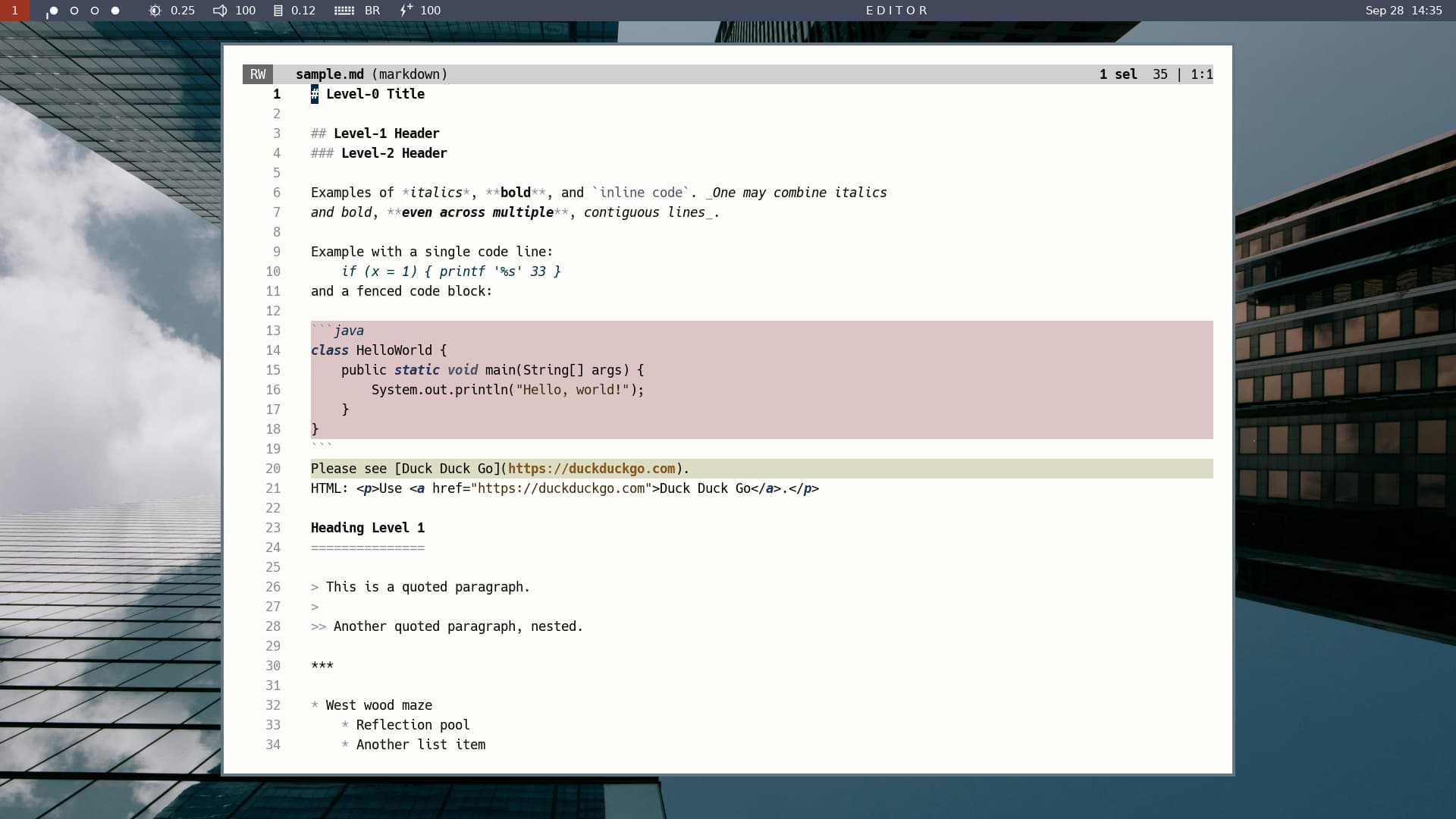
Works perfectly! Thank you!
Any opinion about including yet another argument to shadow-enable, a first|nofirst argument that would do for the first line of the block what last|nolast does for the last line? Including a bit too many arguments may be better than including a bit too few.
That makes sense. Keeps things symmetrical. For my case, I don’t need neither nofirst nor nolast, but those who need one might as well want the other.
I have just published the final (and further improved) version of shadow.kak