Kasane — drop-in Kakoune frontend with an extensible UI foundation

Hi, long-time Kakoune user, first time posting here.

I’ve been working on Kasane, an independent frontend for Kakoune that communicates via kak -ui json. It’s not an official Kakoune project — it depends on Kakoune and does not work without it.

Why I built this

I love Kakoune’s editing model, but I wanted richer UI extensibility. Currently, building UI-level plugins often means relying on tmux, window managers, or shell scripts — which introduces environment dependencies and performance overhead. I wanted a frontend that provides a proper UI foundation for plugins, without losing anything from the standard Kakoune experience.

Drop-in compatible

Your kakrc, keybindings, and plugins (kak-lsp, fzf.kak, etc.) all work as-is. No configuration changes needed.

alias kak=kasane

Rendering runs at ~49 μs per frame at 80×24, so there should be no perceptible overhead.

WASM plugin system

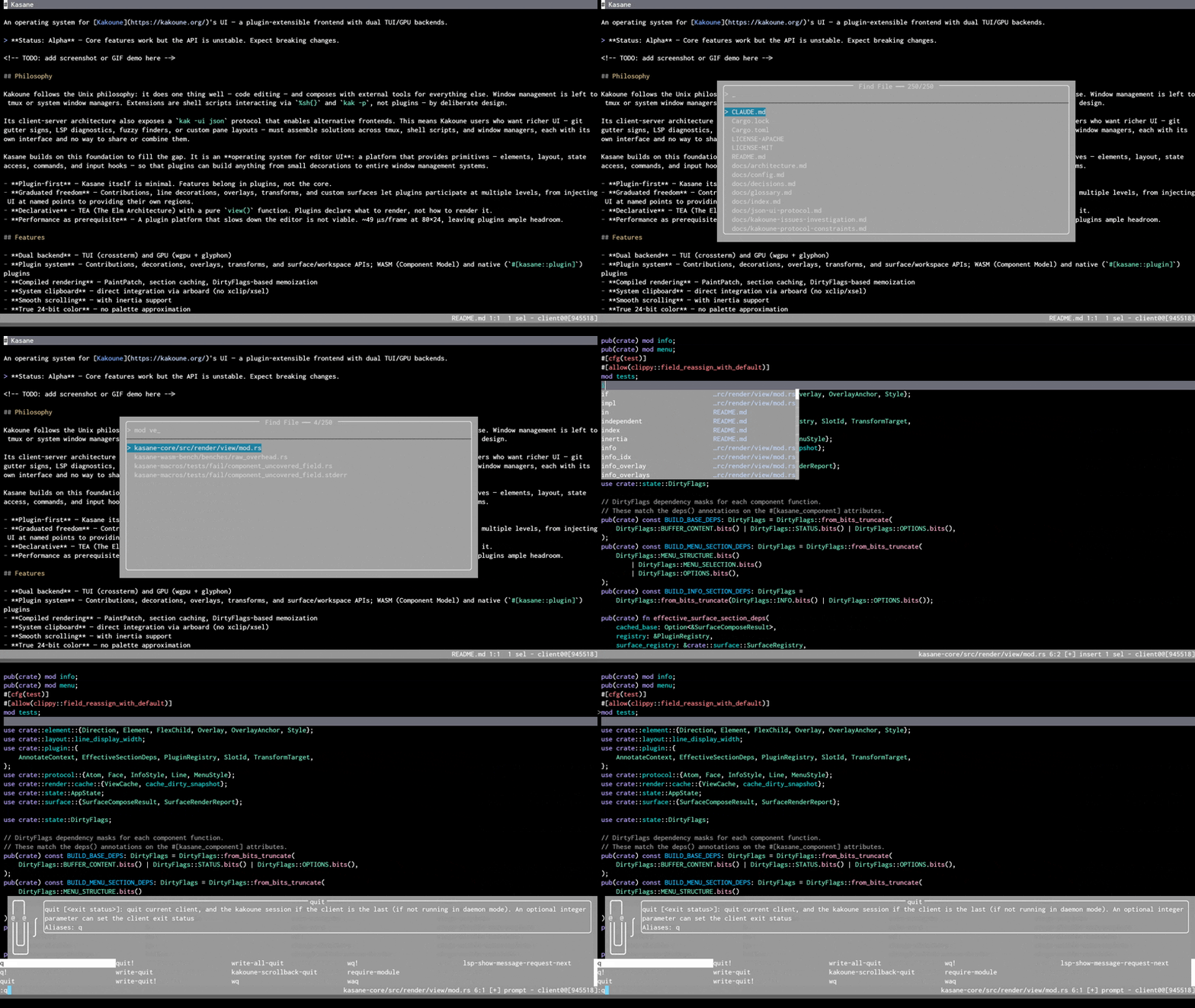
Kasane provides a plugin API where plugins can contribute UI elements, transform existing elements, add line annotations, and create overlays. Plugins are built as WASM components — portable and sandboxed.

Plugins can spawn and communicate with external processes via streaming I/O — the bundled fuzzy finder coordinates fd and fzf this way. This opens the door to linter integration, REPLs, and other tool-driven workflows.

Plugins can also declare their own surfaces (independent screen regions) and manipulate the workspace layout — splitting panes, adding tabs, docking panels, or creating floating windows. The UI foundation is designed so that features like these are built as plugins rather than requiring core changes.

A few bundled plugins ship as examples: cursor line highlight, color preview, selection badge, and fuzzy finder.

GPU backend

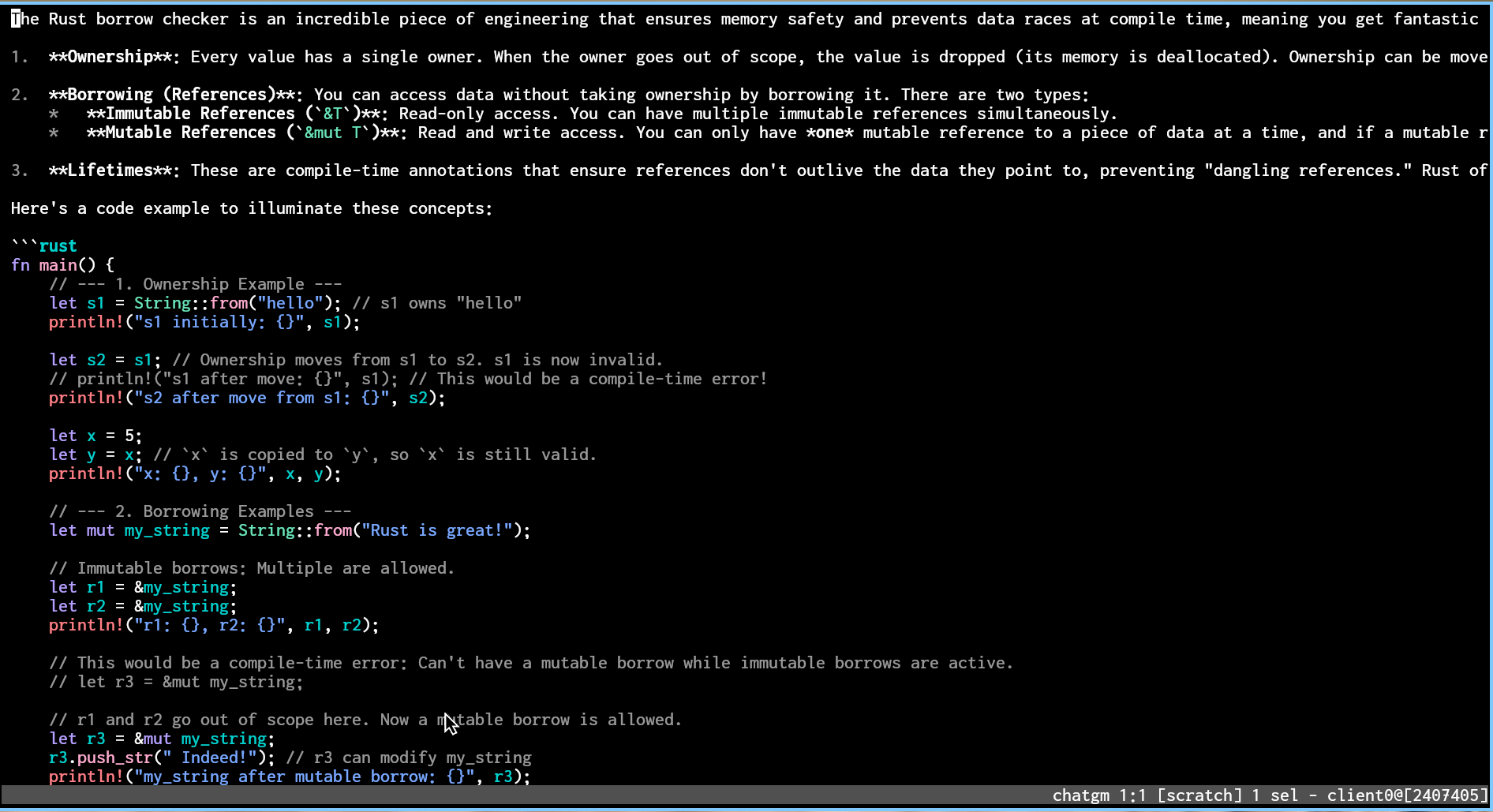
An optional GPU backend (wgpu + glyphon) is available with --features gui. Native font rendering, smooth animations — worth a try if you’re curious.
demo

Also enabled by default

  • Flicker-free rendering (double-buffered + synchronized updates)
  • Correct Unicode width calculation (CJK, emoji)
  • System clipboard integration (no xclip/xsel dependency)
  • True 24-bit color

Links

I’d love any feedback — bug reports, feature requests, ideas for plugins you’d want to build, or even just casual impressions. Issues, PRs, and comments here are all very welcome.
8 Likes

doesnt render any text in the buffer in terminal nor gui. modeline, menu and popups are rendered.

1 Like

Thanks for the report — this should be fixed on master now (05de79d).

The parser required the widget_columns field in draw, which was only added to Kakoune in PR #5455 (not yet in a release). Kasane now treats it as optional and defaults to 0 when absent.

Could you try again from master? And if you don’t mind, kak -version would help confirm.

I like a lot the project! I just found one thing that cause me friction to keep using it, first, it seems fifo buffers are not working as intended, I have an AI assistant plugin that relies on them for the experience.

1 Like


Thanks for the report! I tested FIFO buffers extensively — basic FIFO streaming at various rates (up to 190 lines/sec), and also with gemi2 directly (I guessed from your GitHub that you might be using it — let me know if that’s wrong!). Everything worked correctly on my end, includingstreaming responses and FIFO reuse across multiple :gm invocations.
Could you help me narrow down the issue?

  1. Which plugin are you using, and what exactly happens? (blank buffer / error / partial display freeze?)
  2. What is your Kakoune version? (kak -version)
  3. What OS and terminal emulator?
  4. Does a simple test work?: mkfifo /tmp/test, then in Kasane :edit -fifo /tmp/test -scroll test, then in another terminal echo hello > /tmp/test

Oh it seems I was trying a release that had something broken, I built again from main and it seems to work well, theres something off with the cursor tho. I use themes from: GitHub - anhsirk0/kakoune-themes: Beautiful Color schemes for kakoune. · GitHub, and the cursor is quite invisible with some of them, and also the selection is not visible with others :V

1 Like

Thanks for the follow-up and glad FIFO is working now!

I investigated the cursor/selection issues with anhsirk0/kakoune-themes and found two problems, both now fixed on main:

Selection not visible: Those themes use rgba:RRGGBBAA colors (with alpha) for PrimarySelection/SecondarySelection. Kakoune’s JSON UI passes these through as-is when the base face background is default, and Kasane was only handling rgb:RRGGBB — so the entire draw message failed to parse silently, dropping any frame that contained a selection. Fixed by adding rgba: support (alpha is stripped since terminals don’t support transparency).

Cursor detection: The themes define PrimaryCursor without +rfg (no REVERSE/FINAL_FG attributes), unlike Kakoune’s default default,white+rfg. Kasane’s multi-cursor detection relied on that attribute pattern. Added a fallback that identifies cursor positions by face-matching against the protocol-provided primary cursor coordinate.

Could you rebuild from main and see if things improve? If the cursor is still hard to see with specific themes, let me know which ones — there are 48 themes in that repo and the issue might be theme-specific (e.g. low contrast between cursor color and background).

Can we use this to extend the terminal escape code support beyond kak-ansi? I remember nix --help not working well and don’t want to have extra tool as a pager

1 Like

Great question! The plugin system already has the right primitives for this.

Kasane plugins can selectively hide byte ranges and apply styles to others on each displayed line. So an ANSI rendering plugin would parse escape sequences from the raw text, hide the escape code bytes from display, and apply the corresponding colors and attributes directly to the affected ranges.

Compared to kak-ansi, this approach has a few nice properties:

  • Non-destructive — the buffer text stays intact (kak-ansi strips the codes)
  • Native 24-bit color — styles map directly to RGB, no Kakoune face-name indirection
  • Cross-backend — works on both the terminal and GPU renderers automatically

One thing to note: since the Kakoune protocol only sends visible lines, color state originating above the viewport is best-effort — but in practice most tools (including nix --help) format per line or per section, so the common cases should work well.

This would be a great candidate for a community WASM plugin. The SDK and existing examples like cursor-line and color-preview provide a solid starting point. If you’re interested in giving it a try, I’d love to help — API guidance, architecture advice, debugging, code review, whatever you need along the way. Feel free to open an issue or reach out anytime!

Hello,
this is very interesting. I’m wondering: I sorely miss multi-line virtual text rendering in Kakoune. Last I looked into it, it wasn’t really possible to do.
Would this front end be capable of rendering it?

1 Like

Good question — yes, Kasane can render multi-line virtual text. This is one of the areas where a custom frontend can go beyond what Kakoune’s protocol provides on its own.

Kakoune’s JSON-RPC protocol itself has no concept of virtual text, but Kasane’s rendering pipeline applies display transformations after receiving the protocol output. Plugins can emit DisplayDirective::InsertAfter to inject synthetic lines after any buffer line. When multiple directives target the same line, they stack as consecutive virtual lines — giving you multi-line virtual text blocks.

For example, a plugin showing inline diagnostics would look like:

fn display_directives(&self, state: &Self::State, app: &AppView<'_>) -> Vec<DisplayDirective> {
    vec![
        DisplayDirective::InsertAfter {
            after: 10,
            content: "error[E0308]: mismatched types".into(),
            face: error_face,
        },
        DisplayDirective::InsertAfter {
            after: 10,
            content: "  expected `String`, found `i32`".into(),
            face: hint_face,
        },
    ]
}

This inserts two virtual lines below buffer line 10. Cursor navigation, scrolling, and coordinate mapping are handled automatically — virtual lines are read-only and skipped during editing. The same API is available to WASM plugins via the WIT interface.

There are a few current limitations: each virtual line has a single style (no mixed styling within one line), insertion is line-granular (no inline virtual text at a specific column), and only after-line insertion is supported. These are all things I plan to address on the Kasane side — the rendering architecture is designed to be extended incrementally, so richer virtual text support (styled spans, inline insertion, etc.) is a natural next step.

What kind of use case do you have in mind? That would help me prioritize.

I appreciate the question, I kind of have two use cases, one common and one niche.

The common one: an inline diff with syntax highlighting. Vscode has one that I can’t live without: I’ll review commits, PRs, work directly in the diff, etc. I considered implementing my own for kakoune until I ran into the «no multi-line virtual text» limitation.

My other niche use-case, which you absolutely do NOT want to take into account: I just released a music markdown editor with a kakoune plugin, and in a very very hypothetical future I could insert SVGs of the rendered music line below where the cursor is, just as an aid to the reading. There are other combinations for displaying music-related info that doesn’t belong in the markdown, like bar numbers.

Some of the other cases one can envision: a mini-map, inline diagnostics on multiple lines, bread-crumbs, etc. All the cool stuff :slight_smile:

1 Like

Both great use cases — and I checked out your music editor, really cool project.

I get the VSCode inline diff feeling. It’s one of those features where once you’ve had it, going without feels broken. And “I considered implementing my own until I hit the limitation” is exactly the kind of friction that motivated building Kasane in the first place.

Good news on the API side: since that last reply, I’ve been working on exactly those three gaps, and they’re all resolved on main now. Virtual lines accept styled spans (mixed colors and attributes per line), there’s an InsertBefore to complement InsertAfter, and InlineOp::Insert handles inline virtual text at a specific column. So the building blocks for something like a diff plugin are in place.

How I’d approach an inline diff plugin:

The plugin grabs the buffer’s file path (there’s an API for that now), spawns git diff as a subprocess, and parses the unified diff to find deleted/modified hunks. Then it emits InsertBefore or InsertAfter with the old lines, styled with a red-tinted background for deletions, green for additions. For within-line changes, InlineOp can mark exactly which characters differ.

The nice part is that the buffer stays fully editable while the diff context sits there as read-only overlays — you’d be editing the current file and seeing the old version inline, no mode switch. Re-running git diff on buffer changes (debounced) keeps it live. That gets you pretty close to the VSCode experience, but without leaving Kakoune’s editing model.

One thing worth being upfront about: syntax highlighting in virtual lines. Kakoune’s highlighter only covers actual buffer content, so virtual lines are outside its reach. For a first cut, diff-colored backgrounds with raw text would already be a big step — that’s the primary visual signal anyway. Full syntax highlighting would mean something like tree-sitter compiled to WASM, which is doable but a bigger lift to build toward.

On the music notation / SVG idea — honestly, that’s one of the things I’m most excited about with the GPU backend. Terminals are stuck in a character grid, but wgpu works in pixels, so rendering images alongside text is a natural next step. I don’t have a timeline, but rich visual content is a direction I actively want to take the GPU path. For now, text-based annotations (bar numbers, chord symbols as virtual text) work today.

The other cases you mentioned — multi-line diagnostics and breadcrumbs — are very buildable with the current API. Diagnostics especially (kak-lsp errors as styled lines below the source) would be a great first plugin to prove out the pattern, and it’s simpler than a full diff plugin.

If you’re interested in trying any of these, I’d be happy to help — architecture advice, SDK walkthrough, code review, whatever’s useful. The fuzzy-finder plugin is a good starting point for the subprocess coordination pattern. Feel free to open an issue or reach out anytime.

This is wonderful, thank you very much!

About the syntax highlighting in virtual lines being out of reach: I figured as much. Embedding treesitter would be an interesting avenue but it’s also a bigger mouthful than I’m willing to chew.

I can take a look later this week, then - see if I can scratch the «git diff itch».

1 Like

Glad you’re scratching the diff itch — seeing someone pick up a plugin and run with it is exactly what I was hoping for. Really looking forward to it.

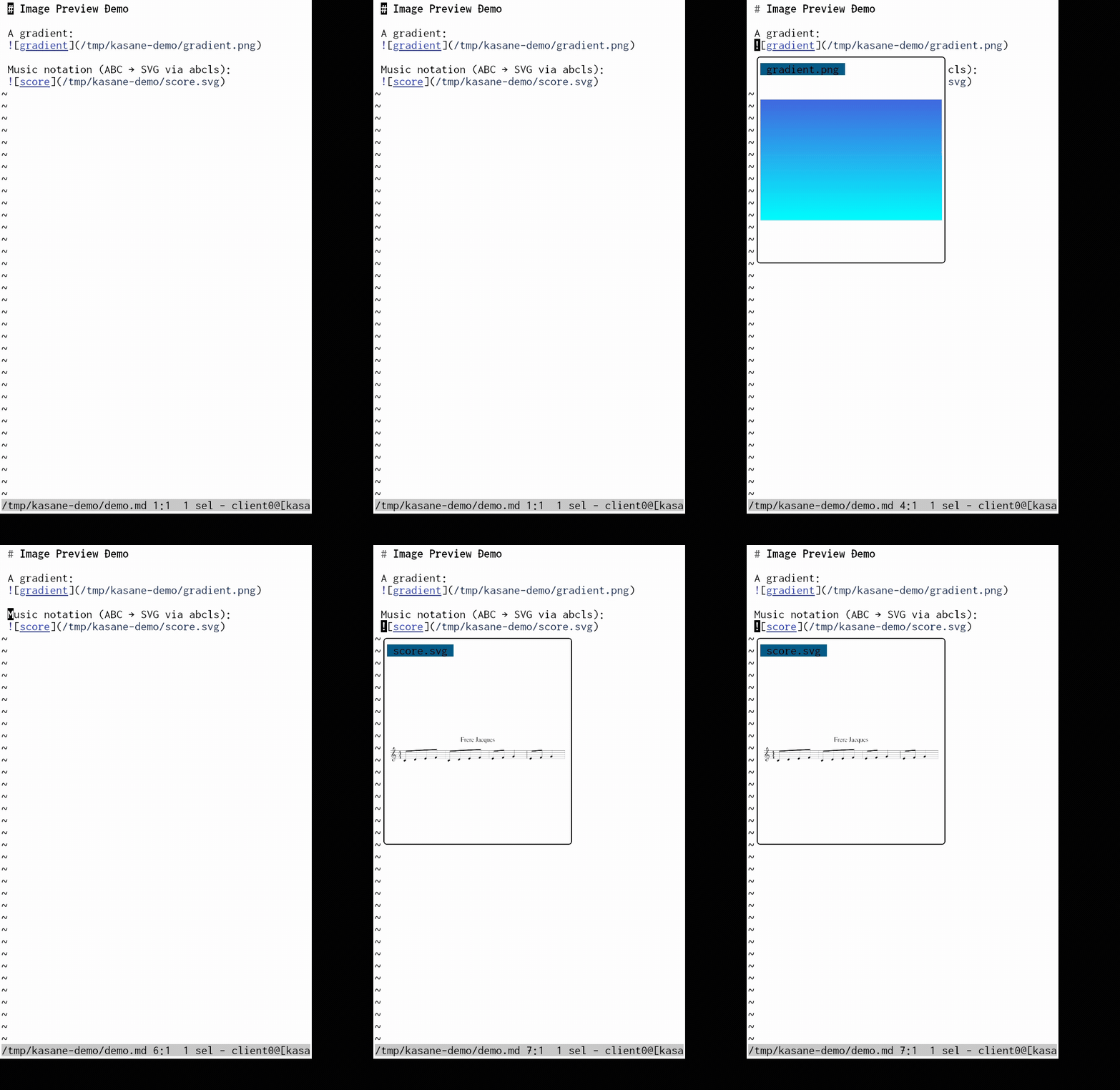
Quick update: SVG rendering is in. WASM plugins can display inline SVG via image_svg(), and it works in both the terminal and GPU backends — not just the GPU path I mentioned last time.

demo_final

You might spot the music score in there — your “very very hypothetical” SVG idea turned out not so hypothetical. The image-preview plugin showing it is a single-file plugin. An ABC notation preview would combine both patterns — the overlay rendering from image-preview, the subprocess coordination from fuzzy-finder — piping abcls render output to image_svg().

Curious to see what you build.

It’s sad you don’t ship the version with the gui

1 Like

You’re right — up through v0.3.0, prebuilt binaries were all TUI-only and the GPU backend required a source build with --features gui.

v0.4.0 (just released) ships the GPU backend in prebuilt binaries:

  • AUR: yay -S kasane-bin (update to 0.4.0)
  • Homebrew: brew upgrade kasane
  • GitHub Releases: x86_64-linux-gnu, x86_64-macos, aarch64-macos

Launch with kasane --ui gui, or set backend = "gui" in ~/.config/kasane/config.toml to make it permanent. musl and aarch64-linux remain TUI-only due to GPU library constraints.

If you hit other rough edges, keep them coming — this kind of feedback directly shapes what gets prioritized.